Every open house generates a list of potential buyers, but most agents let that valuable open house sign-in data sit in a spreadsheet, never to be touched again. What if you could take those names, emails, and phone numbers and turn them into laser-focused Facebook and Instagram retargeting campaigns that keep your brand and listings in front of the people who already showed real interest? In this guide, you will learn exactly how to transform your sign-in sheets into high-converting digital ad audiences that drive follow-ups, nurture leads, and ultimately generate more closings.
Why Sign-In Data Is a Marketing Goldmine
Real estate agents spend significant time and money driving traffic to open houses. Between staging, signage, online promotion, and hours spent on-site, a single open house can represent a substantial investment. Yet according to the National Association of Realtors, only about 4 to 5 percent of buyers actually purchase the first home they visit. That means the majority of your open house visitors are still actively searching, and they have already demonstrated intent by physically showing up.
This is where most agents miss a massive opportunity. The contact information collected during an open house is a first-party data asset, meaning you own it. Unlike third-party data purchased from lead vendors, first-party data comes directly from people who voluntarily engaged with you. That makes it more accurate, more compliant with privacy regulations, and more valuable for advertising purposes.
When you upload this data to Meta’s advertising platform (which powers both Facebook and Instagram ads), you can create what is known as a Custom Audience. This allows you to serve targeted ads specifically to the people who attended your open houses, keeping you top of mind as they continue their home search. Even better, you can use that seed audience to create Lookalike Audiences that help you find thousands of additional prospects who share similar characteristics with your proven leads.
Collecting Clean, Usable Data at Every Open House
The quality of your retargeting campaigns depends entirely on the quality of your data. If visitors scribble illegible names on a paper sign-in sheet or enter fake email addresses, your Custom Audiences will be full of unmatchable records, and your ad spend will be wasted.
The Problem with Paper Sign-In Sheets
Paper sign-in sheets have been the default for decades, but they come with serious drawbacks for digital marketing. Handwriting is often hard to read, visitors skip fields, and transferring data into a spreadsheet is time-consuming and error-prone. Worse, there is no validation step, so a visitor can easily write “test@test.com” and you would never know until your audience match rate comes back disappointingly low.
Why Digital Sign-In Tools Solve the Problem
A digital sign-in platform like EntryPointPro solves these issues by capturing visitor information through a structured digital form. Fields can be required, email formats are validated in real time, and phone numbers are standardized automatically. The result is a clean, export-ready dataset that is immediately usable for ad targeting.
Digital sign-in tools also let you collect additional data points that make segmentation possible, such as whether the visitor is currently working with an agent, their timeline for purchasing, and the price range they are considering. All of this information becomes incredibly valuable when you start building segmented audiences for your ad campaigns.
What Data Fields to Collect
At a minimum, you should collect the following fields for every open house visitor:
- Full name (first and last in separate fields)
- Email address (with format validation)
- Phone number (with area code)
- Are you working with an agent? (yes/no)
- Buyer or neighbor? (helps with segmentation)
- Timeline (how soon they plan to buy)
The more fields Meta can match against its user database, the higher your audience match rate will be. Email and phone number together typically yield match rates between 50 and 70 percent, which is excellent for a Custom Audience.
Segmenting Your Open House Leads
Uploading every open house visitor into a single audience is better than nothing, but segmentation is where retargeting gets truly powerful. Different visitors have different needs, and serving the right message to the right person dramatically improves ad performance.
Suggested Segments
Here are the most effective ways to segment your open house sign-in data for retargeting:
- Active buyers without representation: These are your highest-priority leads. They are actively looking and do not yet have an agent, which means a well-timed retargeting ad could convert them into a client.
- Active buyers with agents: You may not be able to recruit them as clients right now, but you can still retarget them with new listings and coming-soon announcements. Buyer agreements do expire, and staying visible keeps you in the running.
- Neighbors and curiosity visitors: These visitors might not be buyers today, but they are potential sellers. Retarget them with market update content, home valuation offers, and neighborhood stats to position yourself as the local expert.
- Timeline-based segments: Visitors who plan to buy within 30 days should see different ads than those on a 6 to 12 month timeline. Urgency-driven copy works for the former, while educational content works for the latter.
Organizing Your Data for Upload
Meta Ads Manager accepts customer lists in CSV or TXT format. Your file should include clearly labeled columns for first name, last name, email, phone number, city, state, and zip code. The more identifiers you provide per record, the higher your match rate will be.
Before uploading, take a few minutes to clean your data. Remove duplicate entries, fix obvious typos, and standardize phone number formats (remove dashes and parentheses). If you are using EntryPointPro for your open house sign-ins, much of this cleanup is handled automatically since the platform validates inputs as visitors enter their information.
Creating Custom Audiences on Facebook and Instagram
Now that you have clean, segmented data, it is time to build your Custom Audiences in Meta Ads Manager. Here is a step-by-step walkthrough of the process.
Step 1: Access Meta Ads Manager
Log in to your Meta Business Suite account and navigate to Ads Manager. If you do not have an ad account set up yet, you will need to create one and link it to your Facebook Business Page.
Step 2: Create a New Custom Audience
In Ads Manager, go to Audiences from the left-hand menu (or find it under the “All Tools” section). Click Create Audience and select Custom Audience. Choose Customer List as your source.
Step 3: Upload Your CSV File
Upload the CSV file you prepared in the previous step. Meta will ask you to map each column to the appropriate identifier (email, phone, first name, etc.). Take care to map every available field, as this directly affects your match rate.
Step 4: Name and Save Your Audience
Give your audience a descriptive name that includes the date range and segment type, for example, “Open House Visitors – Active Buyers No Agent – Jan to Mar 2025.” This naming convention will save you hours of confusion as your audience library grows.
Step 5: Wait for Processing
Meta typically processes a customer list audience within 30 minutes to a few hours. Once processing is complete, you will see the estimated audience size. Keep in mind that this number reflects matched users only, so it will be smaller than your original list.
Step 6: Use the Audience in a Campaign
When creating a new ad campaign, select your Custom Audience in the targeting section. Your ads will now be delivered exclusively to matched users from your open house sign-in data, meaning every impression is going to someone who has already walked through one of your listings.
Building Lookalike Audiences to Expand Your Reach
Custom Audiences are powerful, but they are limited by the size of your original list. If you have collected 200 visitor records, your matched audience might only be 120 to 140 people. That is a great retargeting pool, but it is not enough to scale your advertising.
This is where Lookalike Audiences come in. Meta analyzes the characteristics of the people in your Custom Audience, including their demographics, interests, behaviors, and online activity, and then finds other Facebook and Instagram users who closely resemble them.
How to Create a Lookalike Audience
- Go to Audiences in Ads Manager.
- Click Create Audience and select Lookalike Audience.
- Choose your open house Custom Audience as the source.
- Select your target location (your local market or metro area).
- Choose the audience size percentage. A 1% Lookalike gives you the closest match to your source audience. A 3 to 5% Lookalike casts a wider net.
For real estate, starting with a 1% Lookalike in your local market is usually the best approach. This gives you a highly targeted pool of potential buyers who look like the people already visiting open houses in your area.
Combining Lookalikes with Interest Targeting
For even more precision, you can layer additional targeting criteria on top of your Lookalike Audience. For example, you might target your 1% Lookalike plus people who have an interest in “Zillow,” “Realtor.com,” or “mortgage loans.” This narrows the audience to people who are both statistically similar to your open house visitors and actively engaging with real estate content online.
Crafting Retargeting Ad Content That Converts
Having the right audience is only half the equation. Your ad creative and messaging need to resonate with people at their specific stage in the buying journey. Here are proven ad formats and messaging strategies for retargeting open house visitors.
Ad Formats That Work for Real Estate Retargeting
- Carousel ads: Showcase multiple listings or highlight different rooms and features of a single property. Carousel ads generate strong engagement because they invite users to swipe through images.
- Video walkthroughs: A 30 to 60 second video tour of a listing performs exceptionally well on Instagram Stories and Reels. Keep the pacing quick and include text overlays with key details like price, bedrooms, and square footage.
- Single image with social proof: A professional listing photo paired with copy like “12 families toured this home last weekend. Schedule your private showing before it is gone” creates urgency and leverages social proof.
- Market update graphics: For your “neighbors” segment, share local market data, recent sales prices, and inventory trends. This positions you as a market expert and plants the seed for future listing conversations.
Messaging Tips for Each Segment
Your copy should speak directly to where each audience segment is in their journey:
- Active buyers without an agent: Emphasize your expertise, responsiveness, and willingness to help them navigate the process. A strong call to action like “Let me help you find the one” works well.
- Active buyers with agents: Focus on the listing itself rather than recruiting them. Share new listings, price reductions, and open house announcements.
- Neighbors and future sellers: Lead with value. “Your neighbor’s home just sold for $X. Curious what yours is worth?” is a classic approach that consistently generates responses.
- Long-timeline buyers: Offer educational content like first-time buyer guides, mortgage rate updates, or neighborhood spotlights. Build the relationship now so you are their first call when they are ready.
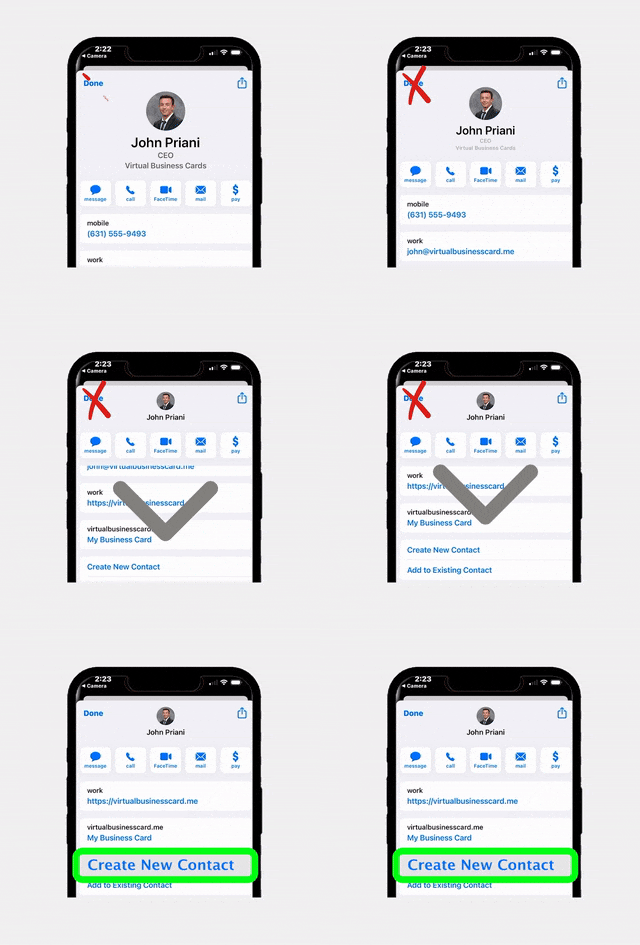
Integrating Your Digital Business Card
Every retargeting ad should make it easy for prospects to connect with you. Instead of sending people to a generic website, consider linking to your RealConnect digital business card. This gives prospects instant access to your contact details, social profiles, listings, and a one-tap option to save your info directly to their phone. It is a far better experience than a traditional landing page, especially on mobile where the majority of social media browsing happens.
Measuring Results and Optimizing Your Campaigns
Launching your retargeting campaigns is just the beginning. Ongoing measurement and optimization are what separate agents who waste money on ads from those who generate real ROI.
Key Metrics to Track
- Match rate: The percentage of uploaded records that Meta matched to user accounts. Aim for 50% or higher. If your match rate is below 40%, your data quality needs improvement.
- Reach and frequency: How many unique people saw your ads and how often. For retargeting, a frequency of 3 to 7 impressions per week is the sweet spot. Too few and people forget you. Too many and you become annoying.
- Click-through rate (CTR): The percentage of people who clicked your ad. Retargeting campaigns typically see higher CTRs than cold prospecting because the audience already knows you. Aim for 1% or higher.
- Cost per lead: If your ad includes a lead form or drives to a landing page, track how much each new lead costs. Real estate retargeting leads are often 50 to 70% cheaper than cold leads.
- Offline conversions: Track how many retargeted leads eventually schedule showings, make offers, or close transactions. This is the ultimate measure of success.
Optimization Strategies
Review your campaign performance weekly and make adjustments based on the data:
- Refresh your creative every 2 to 3 weeks. Ad fatigue is real, especially with small retargeting audiences. Swap in new images, videos, and copy to keep engagement high.
- Test different ad formats. Run carousel ads against video ads to see which format drives more clicks and leads in your market.
- Adjust your frequency cap. If you notice engagement dropping or negative feedback increasing, reduce your daily budget to lower the number of impressions per person.
- Update your audiences regularly. After every open house, export your new sign-in data and add it to your Custom Audiences. Fresh data keeps your audiences relevant and improves match rates over time.
- Exclude past clients. Create a suppression list of people who have already bought or sold with you. There is no reason to spend ad dollars retargeting someone who closed last month.
According to Inman News, agents who consistently invest in digital retargeting see significantly higher brand recall and lead conversion rates compared to those relying on organic social media alone. The key is consistency, meaning you should treat retargeting as an ongoing strategy rather than a one-time experiment.
Frequently Asked Questions
How many open house sign-ins do I need before I can create a Custom Audience?
Meta requires a minimum of 100 records in a customer list to create a Custom Audience, but the audience will perform better with at least 300 to 500 matched users. If you are just starting out, combine sign-in data from multiple open houses until you reach a meaningful audience size. Using a digital sign-in tool ensures your data is clean and matchable, which helps you hit the minimum threshold faster.
Is it legal to use open house visitor data for Facebook and Instagram ads?
Yes, as long as you have obtained proper consent. Include a clear disclosure on your sign-in form (whether digital or paper) stating that contact information may be used for follow-up communications, including digital advertising. Depending on your state, additional privacy regulations may apply. Always consult your broker or a real estate attorney if you are unsure about compliance requirements in your area.
How much should I budget for retargeting open house visitors?
Retargeting campaigns are extremely cost-effective because you are targeting a small, warm audience. Most agents can run effective retargeting campaigns for as little as $5 to $15 per day. Start small, measure your results, and scale your budget based on performance. Even $150 per month can keep you consistently visible to hundreds of past open house visitors.
What is the difference between a Custom Audience and a Lookalike Audience?
A Custom Audience is made up of people you already know, such as your open house visitors whose data you uploaded. A Lookalike Audience is a new group of people that Meta identifies as being similar to your Custom Audience based on shared demographics, interests, and behaviors. Custom Audiences are best for retargeting warm leads, while Lookalike Audiences are best for finding new prospects who resemble your existing leads.
How often should I update my retargeting audiences?
Update your Custom Audiences after every open house or at minimum every two weeks. Fresh data ensures your audiences reflect your most recent visitors and improves match rates. Remove contacts who have converted (bought a home or listed with you) to avoid wasting ad spend on people who no longer need your services.
Turn Every Open House Into a Retargeting Opportunity
Start capturing clean, validated open house sign-in data that is ready for Facebook and Instagram retargeting. EntryPointPro makes it effortless with digital check-in, automatic data formatting, and instant CSV exports.





 Icon On The Top Right Is the Menu For Your Card. This Is Where You can edit your card and log into your dashboard.