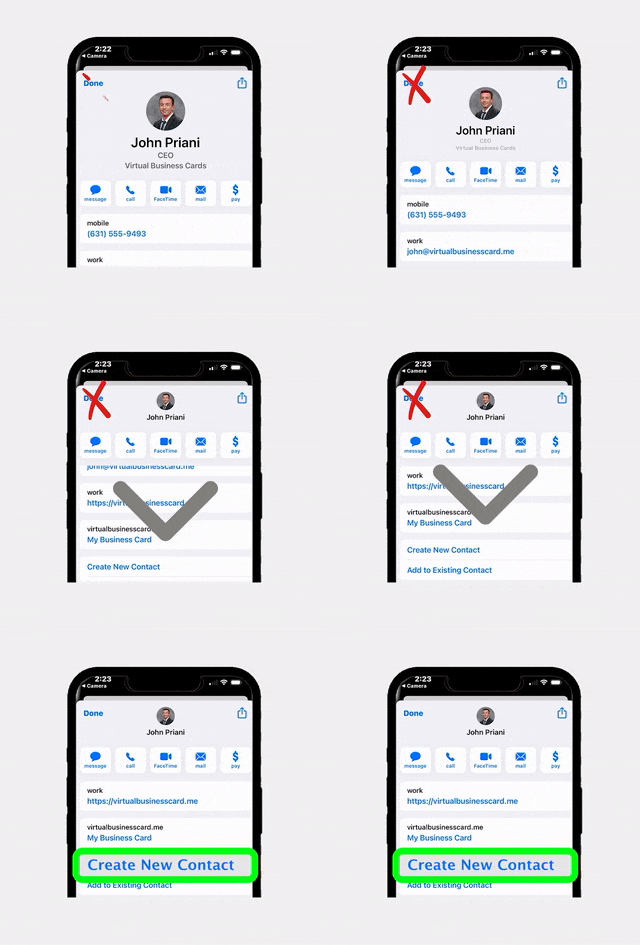
Running a virtual open house has become a staple in the modern real estate agent’s toolkit, but hosting one that actually converts leads into clients requires more than just pressing “go live” on your phone. Whether you are targeting out-of-town buyers, expanding your reach beyond your local market, or simply offering a convenient alternative for busy prospects, mastering the virtual open house format can dramatically grow your pipeline. In this guide, we will walk through every step of the process, from choosing the right technology to nailing your follow-up strategy, so every virtual event you host generates real, actionable leads.
Why Virtual Open Houses Still Matter in 2025
Some agents assume that virtual open houses were a pandemic-era trend that has run its course. The data tells a different story. According to the National Association of Realtors, over 95% of homebuyers use online tools during their home search, and a significant portion of those buyers say virtual tours heavily influence which properties they visit in person. Virtual showings are not a replacement for in-person events. They are a powerful complement that widens your audience and filters serious buyers before they ever walk through the front door.
Here are a few reasons why the virtual open house remains a high-value strategy:
- Geographic reach: You can attract out-of-state or international buyers who cannot easily attend a traditional open house.
- Convenience for busy professionals: Buyers with demanding schedules can join from their office or couch during a lunch break.
- Lead data collection: Digital registration gives you contact information and behavioral insights you rarely get from a paper sign-in sheet.
- Cost efficiency: Virtual events reduce staging costs, printed materials, and the time you spend physically hosting an event.
Essential Technology and Tools You Need
Before you can host a compelling virtual open house, you need the right technology stack. The good news is that you do not need a Hollywood production budget. You need reliable tools, a stable internet connection, and a bit of planning.
Video Platform
Choose a live streaming platform that your audience already uses. Zoom, Facebook Live, Instagram Live, and YouTube Live are all solid options. Zoom is ideal for smaller, interactive sessions where buyers can ask questions in real time. Facebook Live and YouTube Live work well when you want maximum reach and the ability to repurpose the recording afterward.
Camera and Audio
Your smartphone camera is perfectly fine for most virtual showings, but invest in a simple gimbal or stabilizer to avoid shaky footage. Audio quality matters even more than video quality, so consider a clip-on lavalier microphone that plugs into your phone. Viewers will forgive slightly imperfect lighting, but they will leave immediately if they cannot hear you clearly.
Digital Sign-In and Lead Capture
This is where many agents leave money on the table. If attendees can watch your virtual open house without registering, you lose the ability to follow up. Use a digital sign-in system to collect names, emails, phone numbers, and buyer intent data before the event starts. Tools like EntryPointPro let you create branded registration pages with QR codes that you can share across your marketing channels. Every attendee who registers becomes a lead you can nurture long after the event ends.
Presentation Materials
Prepare a slide deck or property fact sheet you can screen-share during the tour. Include key details such as square footage, recent upgrades, neighborhood highlights, school ratings, and comparable sales data. Having these visuals ready makes you look polished and keeps viewers engaged.
Pre-Event Marketing Strategies That Drive Attendance
Hosting the best virtual open house in the world means nothing if nobody shows up. Promotion is where conversions truly begin, because the quality of your marketing determines the quality of your attendees.
Build a Dedicated Landing Page
Create a simple landing page or registration form for the event. Include the property address, date and time (with time zone), a few compelling photos, and a clear call to action that says “Register Now.” Require at minimum a name and email to attend. This registration step is crucial because it transforms anonymous viewers into identifiable leads.
Leverage Email Marketing
Send an invitation to your existing database at least one week before the event. Segment your list to prioritize contacts who have expressed interest in similar properties, price ranges, or neighborhoods. Send a reminder email the day before and a final “starting in one hour” email on event day. According to Inman News, agents who send at least three touchpoints before a virtual event see two to three times higher attendance rates.
Social Media Promotion
Post teasers on Instagram Stories, Facebook, LinkedIn, and TikTok in the days leading up to the event. Share behind-the-scenes content like quick video clips of the property, countdown stickers, and polls asking followers which rooms they want to see first. This builds anticipation and makes your audience feel personally invested.
Collaborate With the Listing Agent or Co-Agent
If you are co-hosting, coordinate your promotional efforts so you are reaching both agents’ networks. Cross-promotion can double your reach without doubling your effort.
Use Your Digital Business Card
Every time you network, hand out your contact information with a link to your upcoming virtual event. RealConnect digital business cards let you include clickable links directly on your card, making it easy for new contacts to register on the spot from their phone.
Running the Live Virtual Open House Like a Pro
Event day has arrived. Here is how to deliver an experience that keeps viewers watching and motivates them to take the next step.
Start With a Warm Welcome
Begin the stream by welcoming everyone, introducing yourself, and explaining what they can expect during the tour. Set expectations for duration (aim for 20 to 30 minutes), let them know how to ask questions (chat, Q&A feature, or unmute), and mention that you will be available for private showings afterward.
Tell a Story, Not Just a List of Features
The biggest mistake agents make during a virtual open house is reciting a laundry list of features. “Three bedrooms, two baths, granite countertops” does not make anyone emotionally connect with a home. Instead, paint a picture. Walk through the front door and say something like, “Imagine coming home after a long day and stepping into this sunlit foyer. Notice how the natural light pours through these oversized windows.” Storytelling activates the emotional part of the brain that drives purchasing decisions.
Move Slowly and Deliberately
When touring the home on camera, move much slower than you think is necessary. Quick camera movements cause motion blur and make viewers feel disoriented. Pause in each room for at least 15 to 20 seconds. Pan slowly from one side to the other. Point out unique details that buyers might miss in photos, such as custom trim work, the view from a particular window, or the flow between the kitchen and living area.
Engage With Your Audience in Real Time
Check the chat or Q&A section frequently. Address questions by name: “Great question, Sarah. The roof was replaced in 2021.” This personal interaction builds rapport and makes attendees feel valued. It also signals to other viewers that this is a genuine, interactive event and not a pre-recorded video.
Include a Clear Call to Action
As you wrap up, do not just say goodbye. Give viewers a specific next step. “If you would like to schedule a private showing, drop your email in the chat or click the link I am posting right now.” You can also direct them to a scheduling tool or a property-specific landing page where they can submit their information.
Capturing and Qualifying Leads Effectively
Lead capture is the entire purpose of hosting a virtual open house. If you are not systematically collecting and organizing attendee data, you are essentially performing for an audience and then letting them walk away anonymously.
Registration Is Your First Filter
As discussed earlier, requiring registration before granting access to the live stream is non-negotiable. The act of registering itself qualifies someone as at least mildly interested. Beyond basic contact information, consider adding one or two qualifying questions to your registration form, such as “Are you currently working with an agent?” or “What is your approximate timeline for purchasing?”
Track Engagement During the Event
Pay attention to who asks questions, who stays for the entire event versus who drops off early, and what topics generate the most interest. These behavioral signals tell you who your hottest leads are. Most streaming platforms provide analytics on viewer duration and engagement that you can review after the event.
Use a CRM to Organize Leads Immediately
Do not wait until the next day to enter lead information into your CRM. Ideally, your registration tool feeds directly into your customer relationship management system so leads are captured and tagged automatically. Platforms like EntryPointPro can help streamline this process by automatically collecting attendee data and making it available for follow-up workflows, so no lead falls through the cracks.
Segment Your Leads
Not every attendee is at the same stage of the buying journey. Create at least three segments after each virtual open house:
- Hot leads: Asked specific questions, stayed the entire event, requested a private showing.
- Warm leads: Registered and attended but did not actively engage. They are interested but may not be ready to act immediately.
- Cold leads: Registered but did not attend. They showed initial interest, so they still belong in your nurture sequence.
Follow-Up Strategies That Convert Viewers Into Clients
The virtual open house itself is only the beginning. The real conversions happen in the follow-up. According to HousingWire, agents who follow up within the first hour after an event are seven times more likely to have a meaningful conversation with a lead than those who wait 24 hours or more.
Send a Thank-You Email Within One Hour
Your first follow-up should go out while the event is still fresh in attendees’ minds. Keep it short and personal. Thank them for attending, include a link to the recorded tour in case they want to rewatch or share with a partner, and offer to answer any additional questions.
Personalize Your Outreach for Hot Leads
For attendees you identified as hot leads, go beyond a generic email. Send a personalized text message or make a quick phone call. Reference something specific they mentioned during the event: “Hi Sarah, you asked about the backyard during the tour. I wanted to let you know the lot is actually a quarter acre, and the sellers just installed a new fence last spring. Would you like to see it in person this week?”
Add Warm and Cold Leads to a Drip Campaign
For warm and cold leads, enroll them in an automated email drip that provides value over time. Share neighborhood guides, market updates, mortgage rate information, and links to similar listings. The goal is to stay top of mind so that when they are ready to buy, you are the first agent they contact.
Retarget With Social Media Ads
If you collected email addresses through registration, upload that list to Facebook or Instagram as a custom audience and run retargeting ads featuring the property or similar listings. This keeps your brand in front of people who have already expressed interest, dramatically increasing the odds of conversion.
Offer a Private Virtual or In-Person Showing
Always extend the invitation for a one-on-one follow-up showing. Some buyers are hesitant to ask questions in a group setting. A private tour, whether virtual or in person, removes that barrier and moves the relationship forward.
Common Mistakes to Avoid With Your Virtual Open House
Even experienced agents make avoidable errors that kill their virtual open house conversion rates. Here are the most common pitfalls and how to sidestep them.
No Registration Requirement
If you broadcast your virtual open house publicly without requiring sign-up, you are generating views but not leads. Always gate access behind a registration form, even if it only asks for a name and email address.
Poor Audio and Lighting
Dark rooms and muffled audio make your listing look bad and make you seem unprofessional. Open all blinds, turn on every light in the house, and use an external microphone. These small investments in quality pay massive dividends in viewer retention.
Talking Too Much, Engaging Too Little
A virtual open house is not a monologue. If you spend 25 minutes talking without checking the chat or asking the audience questions, you will lose them. Build in moments of interaction every three to four minutes.
No Clear Call to Action
If you end the event with a vague “thanks for watching,” you have wasted a prime conversion opportunity. Tell people exactly what to do next: schedule a showing, reply to your follow-up email, or visit a specific link.
Failing to Repurpose Content
Your virtual open house recording is a content goldmine. Edit highlights into short-form videos for Instagram Reels, TikTok, and YouTube Shorts. Post the full replay on your YouTube channel. Embed it on the listing page. One event can fuel your content calendar for weeks.
Ignoring Compliance
Depending on your state and brokerage, there may be compliance requirements around advertising, fair housing disclosures, and data collection during open houses. Make sure your registration forms and marketing materials meet all applicable regulations. Using a platform designed for real estate compliance, like EntryPointPro, can help ensure you are collecting and storing attendee data properly.
Frequently Asked Questions
How long should a virtual open house last?
Aim for 20 to 30 minutes for the live tour portion, plus an additional 5 to 10 minutes for a Q&A session at the end. Research shows that viewer attention drops sharply after 30 minutes, so keeping it concise ensures higher engagement and completion rates. If the property is large or complex, consider breaking it into two shorter sessions rather than one long one.
What is the best platform for hosting a virtual open house?
It depends on your goals. Zoom is excellent for interactive, intimate sessions where you want real-time two-way communication. Facebook Live offers the broadest organic reach and is ideal for attracting new leads who may not be in your database yet. YouTube Live is best for long-term discoverability since the recording stays indexed on YouTube’s search engine. Many agents use a combination of platforms to maximize exposure.
Can I host a virtual open house using just my smartphone?
Absolutely. Modern smartphones have cameras that are more than capable of producing high-quality video. The key additions you need are a gimbal or stabilizer for smooth movement, a clip-on microphone for clear audio, and a strong Wi-Fi connection. Test your setup in advance and make sure your phone is fully charged or plugged in during the event.
How do I capture leads during a virtual open house?
The most effective method is to require registration before granting access to the live stream. Use a digital sign-in platform that collects names, emails, phone numbers, and qualifying information. During the event, encourage viewers to drop questions or contact information in the chat. After the event, follow up immediately with every registered attendee, segmenting them by engagement level.
Are virtual open houses effective for luxury properties?
Yes, and in many cases they are even more effective for luxury listings. High-end buyers are often relocating from out of state or internationally, making virtual access essential. Luxury virtual open houses benefit from higher production quality, including professional videography, drone footage, and curated narration. The exclusivity of a scheduled virtual event can also create urgency among affluent buyers who value their time.
Ready to Capture More Leads at Every Open House?
Whether you host virtual or in-person events, RLTRsync gives you the tools to capture, organize, and convert every lead. From digital sign-in to automated follow-up, see how our platform works for your business.


 Icon On The Top Right Is the Menu For Your Card. This Is Where You can edit your card and log into your dashboard.