If you host open houses regularly, you know how much prep work goes into each one. From printing sign-in sheets and preparing disclosure packets to staging last-minute social media posts, the weekend grind can eat up your entire Saturday morning before a single visitor walks through the door. Building a reliable pre-open house workflow is the single best way to reclaim your time, reduce stress, and ensure nothing falls through the cracks. In this guide, we will walk through a step-by-step system that real estate agents are using to save two or more hours every weekend.
Why You Need a Repeatable Workflow
Most agents treat every open house as a brand-new project. They start from scratch, hunt for templates, re-create flyers, and scramble to print documents the morning of the event. According to the National Association of Realtors’ Profile of Home Buyers and Sellers, open houses remain one of the top ways buyers first discover a property. That means getting the preparation right is not optional, it is essential to your business.
A repeatable workflow turns your open house prep into a series of pre-defined steps that you follow in the same order every time. The benefits are significant:
- Consistency: Every open house gets the same professional treatment regardless of how busy your week has been.
- Speed: You stop reinventing the wheel. Tasks that used to take 20 minutes now take five.
- Fewer mistakes: Checklists prevent costly oversights like forgetting disclosure forms or neglecting to confirm the photographer.
- Delegation: A documented workflow can be handed to a showing assistant, transaction coordinator, or team member without extensive training.
Audit Your Current Open House Process
Before you build a better system, you need to understand where your time is actually going. Grab a notebook or open a simple spreadsheet and track every task you perform for your next two open houses. Include the time each task takes and whether it happens before, during, or after the event.
Common tasks agents discover during an audit include:
- Creating or updating the property flyer
- Printing sign-in sheets and disclosure documents
- Posting to the MLS, social media, and listing syndication sites
- Ordering or picking up directional signs
- Coordinating with the seller on showing times and staging
- Preparing a comparative market analysis (CMA) for serious visitors
- Charging devices, testing lockboxes, and packing supplies
- Sending reminder emails or texts to your sphere
Once you have two events tracked, look for patterns. Which tasks are identical every time? Those are prime candidates for templates, automation, or batching. Which tasks cause the most stress? Those probably need to move earlier in the week so they are not rushed on Saturday morning.
The Five-Day Pre-Open House Workflow
Here is a sample pre-open house workflow spread across the five weekdays leading up to a Saturday event. You can adjust the days to fit your schedule, but the key principle is to move work earlier in the week so that Friday evening and Saturday morning are nearly stress-free.
Monday – Confirm and Coordinate
- Confirm the open house date, time, and any seller requirements.
- Check the MLS listing for accuracy and update photos if needed.
- Notify your team or showing assistant about the upcoming event.
- Reserve any directional signs or open house flags you need.
Tuesday – Create Marketing Materials
- Generate the property flyer from your template. Swap in the new address, photos, and key features.
- Draft your social media posts for Wednesday through Saturday using a scheduling tool.
- Write or update the email blast you will send to your buyer list.
- Prepare a “just listed” or “open house this weekend” graphic using Canva or a similar design tool.
Wednesday – Distribute and Promote
- Schedule all social media posts to go live on the appropriate days.
- Send the email blast to your buyer list and sphere of influence.
- Post the open house event on Realtor.com and any local community boards.
- Confirm the photographer or videographer if you are doing a walkthrough video.
Thursday – Prepare Documents and Supplies
- Print or digitally prepare all disclosure documents, seller property statements, and agency forms required by your state.
- Set up your digital sign-in system so it is ready to capture leads on Saturday.
- Charge your tablet, portable speaker, and any other devices.
- Pack your open house kit: business cards, sign-in tablet or QR code stand, flyers, pens, bottled water, and a small Bluetooth speaker.
Friday – Final Review
- Do a quick walk-through of your checklist to make sure nothing was missed.
- Confirm staging with the seller one final time.
- Check the weather forecast and adjust your plan if needed (extra towels for a rainy day, shade setup for extreme heat).
- Review your CMA data so you can confidently discuss pricing with serious buyers.
Digital Tools That Eliminate Manual Steps
The fastest way to shrink your pre-open house workflow is to replace manual steps with digital tools that handle them automatically. Here are the areas where technology delivers the biggest time savings.
Digital Sign-In and Lead Capture
Paper sign-in sheets are unreliable. Visitors write illegible phone numbers, skip fields, or feel uncomfortable sharing information in a notebook that other strangers can read. A digital sign-in platform like EntryPointPro replaces the clipboard with a QR code check-in system. Visitors scan a code at the door, fill in their contact information on their own phone, and your lead list is populated instantly, with no manual data entry required afterward.
This alone can save you 30 minutes or more per open house, because you never have to sit down after the event and try to decipher handwriting or manually type contacts into your CRM.
Digital Business Cards
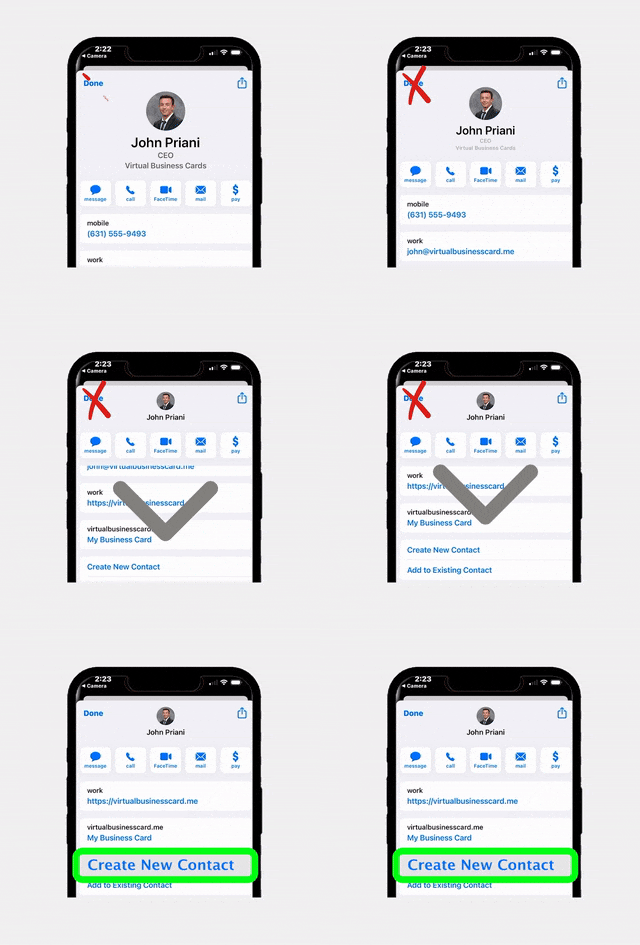
Printing hundreds of paper business cards for every open house is expensive and wasteful. Tools like RealConnect let you share your contact details digitally through a QR code or NFC tap. Visitors save your information directly to their phone, which means they are far more likely to actually reach out later. It also means one less thing to print and pack for Saturday.
Offer Management Systems
If your open house generates interest and you start receiving offers, having a centralized system in place before the event saves enormous time. An offer management platform lets buyers or their agents submit offers digitally, keeps everything organized in one dashboard, and ensures you can present all offers to the seller quickly and professionally.
Streamlining Compliance and Document Prep
One of the most time-consuming parts of open house preparation is ensuring you have all the right documents printed, organized, and legally compliant. Requirements vary by state, but agents commonly need to provide:
- Seller’s property disclosure statement
- Lead-based paint disclosure (for homes built before 1978)
- Agency disclosure or relationship forms
- HOA documents and CC&Rs (if applicable)
- Local hazard or natural disaster disclosures
- Fair housing notice
Instead of gathering these documents from scratch every time, create a master folder on your computer or cloud drive organized by document type. For each new listing, duplicate the folder and swap in the property-specific details. This templated approach means you are never starting from zero.
Better yet, use a platform that automates document processing and compliance tracking. EntryPointPro includes automated document processing and compliance management features that help agents stay organized and audit-ready without the manual paperwork shuffle.
Automating Your Open House Marketing
Marketing is where many agents lose the most time during open house prep. Crafting individual social media posts, writing email blasts, and manually uploading listings to multiple platforms can easily consume two to three hours per event. Here is how to cut that time dramatically.
Build a Template Library
Create a set of reusable templates for every marketing asset you need:
- Social media posts: Write three to four generic caption templates with placeholders for the address, date, time, and key features. Example: “Open House this Saturday! Tour [ADDRESS] from [TIME] to [TIME]. [NUMBER] beds, [NUMBER] baths, and [FEATURE]. See you there!”
- Email blasts: Build a master email in your CRM or email marketing tool with placeholder fields that you can swap in seconds.
- Property flyers: Use a Canva template or your brokerage’s design tool with a consistent layout. Just drop in new photos and update the text.
Batch and Schedule
Do not post in real time. Use a social media scheduling tool to queue all your posts on Tuesday, then let them publish automatically on Wednesday, Thursday, Friday, and Saturday. This batch approach means you touch your marketing once per week instead of four separate times.
Leverage Your CRM Automations
Most modern CRMs allow you to create automated workflows triggered by a tag or status change. Set up a workflow that, when you tag a contact as an “open house lead,” automatically sends a follow-up email, adds them to a nurture sequence, and sets a reminder for you to call them Monday morning. This is not pre-open house work per se, but having it in place before the event means your post-event follow-up is already handled.
Your Lean Day-Of Checklist
If you have followed the five-day pre-open house workflow outlined above, your Saturday morning should be remarkably simple. Here is what a lean day-of checklist looks like when the heavy lifting is already done.
60 Minutes Before the Open House
- Arrive at the property and do a quick walkthrough. Adjust staging, open blinds, and turn on lights.
- Place directional signs at key intersections within a half-mile radius.
- Set up your digital sign-in station near the front door. If you are using a QR code system, make sure the printed code is visible and positioned at eye level.
- Put out property flyers, your digital business card QR code, and any disclosure documents on the kitchen counter or entry table.
- Start background music at a low, pleasant volume.
- Light a subtle candle or use a light air freshener if the seller has approved it.
15 Minutes Before
- Test your sign-in QR code by scanning it yourself.
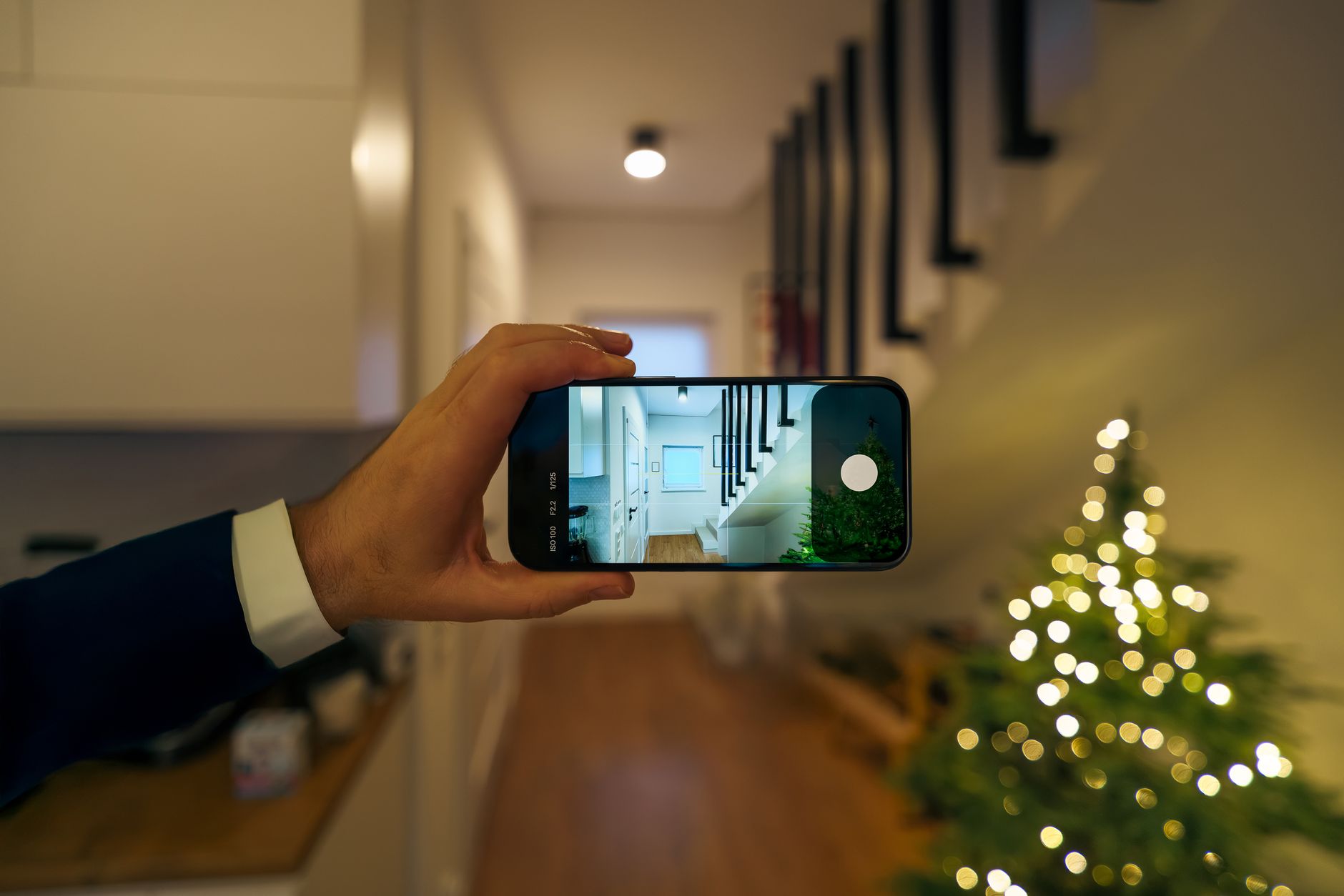
- Take a quick photo of the setup for your own records and a “we’re live” social media post.
- Review your talking points for the property, including recent comparable sales, neighborhood highlights, and any known objections you need to address.
During the Open House
- Greet every visitor warmly and direct them to the sign-in station.
- Offer a brief tour or let visitors explore on their own, depending on their preference.
- Take notes on serious prospects so you can personalize your follow-up.
- Snap a few candid photos (with permission) for social proof posts.
Immediately After
- Collect directional signs.
- Lock up and confirm with the seller that the home is secure.
- Review your digital lead list. Because your sign-in was digital, this step takes seconds instead of the usual 20 minutes of transcribing handwritten names.
- Send a quick “thank you for visiting” text or email to every attendee while the experience is still fresh in their minds.
As reported by Inman News, agents who follow up within one hour of an open house are significantly more likely to convert visitors into clients. A digital lead capture system makes that rapid follow-up possible because the data is already clean and ready to use.
Frequently Asked Questions
How long does it take to set up a pre-open house workflow for the first time?
Expect to invest two to three hours creating your templates, checklists, and digital tool configurations the first time. After that initial setup, each weekly cycle should take about 60 to 90 minutes spread across the week, which is a net savings of roughly two hours compared to the typical unstructured approach.
Can I use this workflow if I host multiple open houses in one weekend?
Absolutely. The five-day workflow is designed to be duplicated. If you have two open houses on Saturday, run through the same checklist twice, adjusting only the property-specific details. Batching your marketing for both events on Tuesday and preparing documents for both on Thursday keeps things efficient.
What is the biggest time-saver in the entire workflow?
For most agents, replacing paper sign-in sheets with a digital sign-in system delivers the single biggest time saving. It eliminates manual data entry after the event, reduces errors from illegible handwriting, and enables faster follow-up. Platforms like EntryPointPro make the switch simple with QR code check-in that visitors complete on their own phones.
Do I really need to start preparing on Monday for a Saturday open house?
Starting on Monday is ideal because it prevents any single day from becoming overloaded. However, if your schedule is tight, the minimum lead time is Wednesday. Anything less and you risk rushing through important steps like document compliance and marketing distribution.
How do I get my team to follow the workflow consistently?
Document the workflow in a shared project management tool like Trello, Asana, or even a shared Google Doc. Assign each task to a specific team member with a due date. After three to four weeks, the process becomes second nature and requires minimal oversight.
Ready to Streamline Your Open House Prep?
RLTRsync gives you the digital tools to automate sign-ins, manage compliance documents, and capture leads, so you can spend less time on logistics and more time connecting with buyers.




 Icon On The Top Right Is the Menu For Your Card. This Is Where You can edit your card and log into your dashboard.