Real estate agents are under more pressure than ever to do more with less time. The good news? You can automate your real estate business without turning into a faceless transaction machine. The key is knowing which tasks to hand off to technology and which moments demand your personal attention. In this guide, we will walk through proven strategies, practical tools, and real workflows that help you save hours every week while keeping the human connection that wins clients and referrals.
Why Automation Matters in Real Estate Today
The modern real estate agent wears dozens of hats. Between prospecting, showing homes, negotiating offers, managing paperwork, and nurturing past clients, there simply are not enough hours in the day to do everything manually. According to the National Association of Realtors’ Technology Survey, the vast majority of agents now rely on some form of technology to manage their business, yet many still feel overwhelmed by administrative tasks.
Automation is not about replacing what you do. It is about removing the repetitive, time-consuming tasks that pull you away from the work that actually generates revenue: building relationships, advising clients, and closing deals. When you automate your real estate business strategically, you free up mental bandwidth and physical hours that you can reinvest into the moments that matter most.
Consider how much time you spend on tasks like manually entering lead information from open house sign-in sheets, sending routine follow-up emails, organizing offer documents, or handing out paper business cards that get lost in a pocket. Each of these activities is a prime candidate for automation, and each one can be improved without removing your personality from the equation.
Where Agents Lose the Personal Touch with Automation
Before diving into what to automate, it is important to understand where things go wrong. Automation earns a bad reputation when agents use it carelessly. Here are the most common mistakes that make clients feel like they are dealing with a robot instead of a trusted advisor.
Generic, Impersonal Communication
Sending mass emails with obvious template language, using the wrong name in a merge field, or blasting the same message to buyers and sellers alike are all surefire ways to erode trust. Clients can tell when a message was not written for them, and in an industry built on relationships, that perception can cost you a deal.
Over-Automating Critical Touchpoints
Some moments in the buying or selling process require a real human conversation. Negotiation updates, emotional milestones like getting an offer accepted, and sensitive pricing discussions should never be delivered through an automated drip campaign. Knowing when to step in personally is what separates top-producing agents from the rest.
Failing to Follow Up Quickly
Ironically, some agents set up automation and then assume everything is handled. But if your automated system captures a lead and your first personal outreach does not happen for three days, you have already lost the advantage. According to research from Inman News, speed to lead remains one of the biggest factors in conversion rates. Automation should make you faster, not complacent.
Open House Sign-Ins: Automate Capture, Personalize Follow-Up
Open houses are one of the best examples of how automation and personal touch can work together beautifully. The traditional process involves a paper sign-in sheet, illegible handwriting, and a stack of names you have to manually enter into your CRM on Monday morning. By that time, those leads have already cooled off.
With a digital sign-in platform like EntryPointPro, visitors check in using a QR code or tablet when they arrive at your open house. Their contact information is captured instantly, accurately, and securely. No more guessing whether that scribble says “Smith” or “Smyth.” No more losing leads because you could not read a phone number.
But here is where the personal touch comes in. Once you have clean, organized lead data flowing into your system automatically, you can craft thoughtful, personalized follow-up messages. Instead of spending your Sunday evening typing names into a spreadsheet, you are sending a quick video text to the couple who loved the kitchen or a personalized email to the first-time buyer who had questions about the neighborhood.
Making Open House Follow-Up Feel Human
- Reference specific details from your conversation at the open house
- Send a follow-up within two hours of the event while you are still fresh in their memory
- Include a personal note alongside any automated property alerts or market updates
- Use the visitor data to segment your follow-up by buyer type, timeline, and interest level
EntryPointPro also handles compliance documentation automatically, processing required disclosures and sign-in records so you stay compliant without adding extra steps to your workflow. That means less paperwork stress and more time for the conversations that convert visitors into clients.
Offer Management: Speed Without Sacrificing Communication
Few areas of real estate are as stressful or as time-sensitive as managing offers. When a listing is hot and multiple offers are coming in, the last thing you need is to be buried in PDF attachments, phone tag, and manual spreadsheet tracking. But buyers and their agents also need to feel heard, informed, and respected throughout the process.
This is where a dedicated offer management system makes a massive difference. Instead of juggling emails and hoping you do not miss a critical deadline, you can use a centralized platform to receive, organize, compare, and respond to offers systematically.
How Automated Offer Management Enhances Communication
When you use an offer management tool, every party involved in the transaction gets timely updates. Buyer agents receive confirmation that their offer was received. Your seller clients get a clear, organized summary of all offers for easy comparison. And you maintain a documented trail of every communication and decision point.
The automation handles the logistics: organizing documents, tracking deadlines, sending receipt confirmations, and keeping everything in one accessible place. Meanwhile, you handle the strategy: advising your seller on which terms matter most, calling the top buyer’s agent to discuss flexibility, and negotiating the deal that best serves your client.
This approach actually improves the personal experience for everyone involved. Buyer agents appreciate the professionalism and transparency. Sellers feel confident that nothing is slipping through the cracks. And you look like the organized, responsive agent that everyone wants to work with.
Digital Business Cards: Technology That Feels Personal
Networking is the lifeblood of real estate. Whether you are at a community event, a broker open, or a chance encounter at a coffee shop, being able to share your contact information quickly and memorably is essential. But paper business cards are easy to lose, hard to update, and impossible to track.
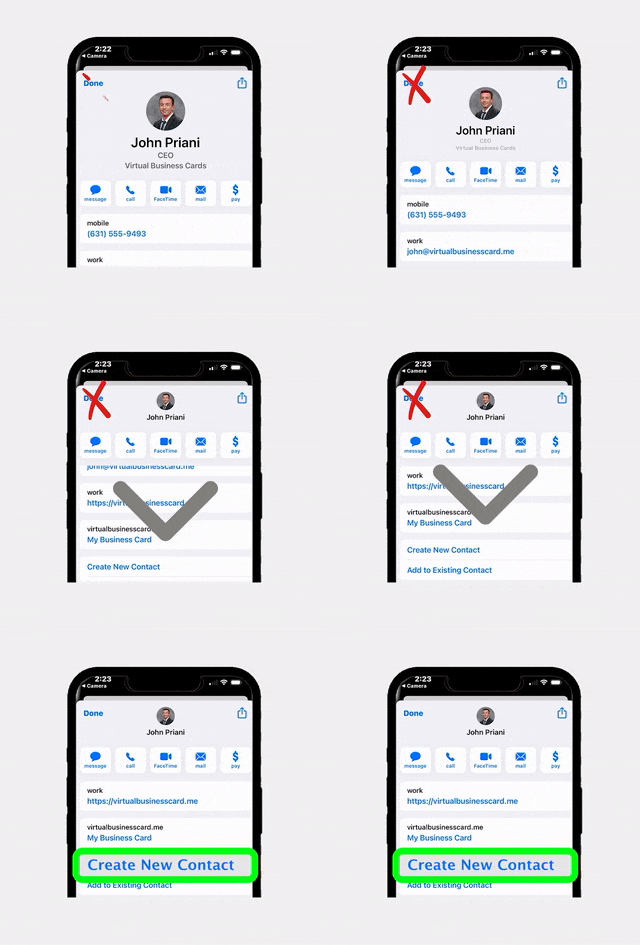
Digital business cards through a platform like RealConnect solve all of these problems while actually making the exchange feel more personal and modern. Instead of handing someone a card that ends up in a junk drawer, you share your digital card via a quick tap, text, or QR code scan. Your new contact instantly has your photo, phone number, email, social links, and even your current listings right on their phone.
Why Digital Cards Build Stronger Connections
- Instant recall: Your photo and branding are right there in their phone, making it easy for them to remember who you are
- Always current: Update your information once and it updates everywhere, so you never have outdated cards floating around
- Easy sharing: Recipients can forward your card to friends and family who are looking for an agent, turning every contact into a potential referral
- Trackable engagement: See when someone views your card or clicks on your listings, giving you insight into who is most interested
The personal touch here is in the interaction itself. Sharing a digital business card is a conversation starter. It shows that you are tech-savvy and professional, and it gives you a natural reason to follow up: “I just sent you my digital card, did you get it?” That simple exchange opens the door to a deeper conversation.
Building an Automation Strategy That Keeps You Human
The most successful agents do not just adopt random tools. They build intentional automation strategies that align with their brand, their client experience goals, and their personal strengths. Here is a framework for doing that effectively.
Step 1: Audit Your Weekly Tasks
Spend one week tracking every task you do and how long each one takes. Categorize them into three buckets: tasks that require your personal expertise, tasks that are repetitive but necessary, and tasks that add no value at all. The second category is your automation goldmine.
Step 2: Map Your Client Journey
Walk through the entire experience from a client’s perspective, from first contact to closing and beyond. Identify the touchpoints where speed and accuracy matter most (lead capture, document processing, appointment scheduling) and the touchpoints where human warmth matters most (first phone call, negotiation updates, closing day). Automate the first group, protect the second.
Step 3: Choose Tools That Integrate
Disconnected tools create more chaos than they solve. Look for platforms that work together and feed into your existing CRM. For example, when your open house sign-in system automatically sends lead data to your CRM, and your CRM triggers a personalized follow-up sequence, you have built a seamless pipeline that requires minimal manual intervention.
Step 4: Create Personal Touchpoint Triggers
For every automated sequence you build, include a trigger that prompts you to make personal contact. For example, if a lead opens your follow-up email three times, that is a trigger for you to pick up the phone. If a buyer agent submits an offer through your management system, that is a trigger for you to send a personal acknowledgment. Automation should create opportunities for personal connection, not replace them.
Step 5: Review and Refine Monthly
Set aside time once a month to review your automation workflows. Are leads responding to your follow-up sequences? Are clients commenting on the experience? Are there new bottlenecks that need attention? The best automation strategies evolve over time as your business grows and your clients’ expectations change.
Tools and Workflows to Get Started Today
If you are ready to automate your real estate business while keeping things personal, here is a practical starting point organized by the areas that typically offer the biggest return on investment.
Lead Capture and Open House Management
Replace paper sign-in sheets with a digital platform that captures accurate data and processes compliance documents automatically. This single change can save you hours per open house and dramatically improve your follow-up speed. Pair your digital sign-in with a CRM that triggers personalized drip sequences based on the information each visitor provides.
Offer Organization and Communication
Move away from email-based offer management to a centralized system. This reduces the risk of missed offers, helps you present clear summaries to sellers, and ensures every buyer agent receives professional, timely communication. The time you save on logistics can be redirected to strategic advising and negotiation.
Networking and Referral Generation
Switch from paper business cards to a digital solution that is shareable, trackable, and always up to date. Use the engagement data to identify warm leads and reach out with a personal message. Combine this with a simple referral reminder system that prompts you to check in with past clients on a regular schedule.
Transaction Coordination and Document Management
Use a transaction management platform to automate deadline tracking, document collection, and status updates. This keeps your transactions on track without requiring you to manually check every detail. When clients or cooperating agents need a status update, you have the information at your fingertips and can respond quickly with a personal call or message.
Sample Weekly Workflow
- Monday: Review weekend open house leads captured digitally, send personalized follow-ups to top prospects
- Tuesday-Thursday: Focus on showings, listings, and negotiations while automated systems handle appointment confirmations and document processing
- Friday: Review offer management dashboard, update sellers on any new offers, and make personal calls to buyer agents
- Weekend: Host open houses with digital sign-in, network with digital business cards, and let automation capture the data while you focus on conversations
The beauty of this workflow is that technology handles the repetitive data entry and organization, while you remain the face, the voice, and the trusted advisor throughout the entire process. That is how you automate your real estate business the right way.
Industry research consistently supports this approach. The NAR Profile of Home Buyers and Sellers shows that clients value responsiveness and local expertise above almost everything else. Automation makes you more responsive. Your personal knowledge and relationships provide the expertise. Together, they create a client experience that generates repeat business and referrals for years to come.
For agents looking to explore these solutions, RLTRsync’s pricing page offers flexible options that scale with your business, so you can start with the tools that make the biggest impact and add more as you grow.
Frequently Asked Questions
Can I automate my real estate business if I am not tech-savvy?
Absolutely. Most modern real estate automation tools are designed with simplicity in mind. Platforms like EntryPointPro, for example, use straightforward QR code check-ins and intuitive dashboards that require no technical background. Start with one tool, get comfortable with it, and then add more as your confidence grows. Many agents find that the time savings alone motivate them to keep learning.
What tasks should I never automate in real estate?
Any task that involves emotional support, complex negotiation, or sensitive financial discussions should remain personal. This includes delivering news about accepted or rejected offers, discussing pricing strategy with sellers, handling client concerns about inspections or appraisals, and celebrating milestones like closing day. These are the moments that define your reputation and generate referrals.
How much time can automation actually save a real estate agent?
The time savings vary depending on your volume and current processes, but most agents report saving five to ten hours per week by automating lead capture, follow-up sequences, document management, and offer organization. That is equivalent to gaining an extra full working day each week, time you can invest in prospecting, client meetings, or simply maintaining a healthier work-life balance.
Will clients notice that I am using automation?
When done well, clients notice the results of automation, not the automation itself. They notice that you respond quickly, that your open houses are professional and well-organized, that offer updates arrive promptly, and that you always seem to have time for them. The goal is to create an experience that feels seamless and personal, even though technology is handling much of the behind-the-scenes work.
What is the best first step to automate my real estate business?
Start with the task that costs you the most time or causes the most friction. For many agents, that is open house lead capture and follow-up. Replacing paper sign-in sheets with a digital system immediately improves data quality, speeds up follow-up, and eliminates hours of manual data entry. From there, you can expand into offer management and digital networking tools.
Ready to Automate Your Real Estate Business the Smart Way?
RLTRsync gives you the tools to streamline open houses, manage offers, and network digitally, all while keeping the personal connection that wins clients. See which plan fits your business.






 Icon On The Top Right Is the Menu For Your Card. This Is Where You can edit your card and log into your dashboard.