Real estate agents who master community event lead generation unlock a powerful advantage over their competition. Instead of waiting for buyers and sellers to come to you, hosting charity drives, neighborhood block parties, and local fundraisers puts you at the center of your community while quietly building a pipeline of future clients. With EntryPointPro, you can run these events with professional-grade sign-in technology, capture attendee information effortlessly, and follow up in ways that feel genuine rather than transactional. This guide walks you through the entire process, from choosing the right event to converting attendees into long-term relationships.
Why Community Events Are a Goldmine for Real Estate Agents
Most agents focus their lead generation efforts on cold calling, door knocking, social media ads, and open houses. While those tactics have their place, they share a common weakness: they feel like sales pitches. The prospect knows you want something from them, which puts up a natural wall of resistance.
Community events flip that dynamic entirely. When you organize a charity toy drive, a neighborhood cleanup, or a local business mixer, you position yourself as a community leader first and a real estate professional second. People meet you in a context where you are giving rather than asking, and that creates trust at a speed that traditional prospecting simply cannot match.
According to the National Association of Realtors’ Profile of Home Buyers and Sellers, a significant majority of homeowners choose their agent based on personal referrals and prior relationships. Hosting events where you meet dozens or even hundreds of people in a single afternoon accelerates the relationship-building process that typically takes months or years of casual encounters.
Community event lead generation also gives you a reason to follow up that does not feel forced. Instead of calling someone out of the blue, you are reaching out to thank them for attending, share photos from the event, or invite them to the next one. Every touchpoint reinforces your brand as someone who cares about the neighborhood, not just commissions.
Setting Up Your Charity or Community Event with EntryPointPro
Running a successful community event requires more than renting a pavilion and ordering pizza. You need a system that captures attendee information, manages compliance documents if applicable, and organizes everything so you can follow up effectively. That is exactly what EntryPointPro was built to do.
While most agents know EntryPointPro as an open house sign-in platform, its features translate perfectly to any event where you want to track who showed up and stay connected afterward. Here is how to set up your event step by step.
Step 1: Create Your Event in EntryPointPro
Log in to your EntryPointPro dashboard and create a new event. Instead of listing a property address, use the event name and location. For example, “Annual Neighborhood Charity BBQ at Riverside Park.” Fill in the date, time, and any relevant details so attendees see a polished, professional landing page when they check in.
Step 2: Customize Your Sign-In Fields
One of EntryPointPro’s biggest strengths is its customizable sign-in form. For a community event, you probably want to capture the attendee’s name, email address, and phone number. You can also add custom fields such as “How did you hear about this event?” or “Are you currently a homeowner in this neighborhood?” These questions help you segment your leads later without making the sign-in process feel like an interrogation.
Step 3: Generate Your QR Code
EntryPointPro generates a unique QR code for every event. Print this code on signs, table tents, flyers, and even the event’s social media graphics. When attendees scan the code with their phone, they land directly on your sign-in page, no app download required. This frictionless process means you capture far more attendee information than you would with a paper clipboard.
Step 4: Prepare Your Welcome Materials
EntryPointPro allows you to attach documents and welcome messages that attendees see after signing in. For a charity event, this could be a thank-you message, a schedule of activities, or a digital flyer about the cause you are supporting. You can also include your digital business card from RealConnect so attendees instantly have your contact information saved on their phone.
Designing a Seamless Check-In Experience for Attendees
The sign-in experience sets the tone for the entire event. If people have to fumble with a pen and a crumpled sheet of paper, they will either skip the sign-in entirely or write illegibly, leaving you with useless data. A digital check-in powered by EntryPointPro eliminates both problems and creates a modern, professional first impression.
Keep the Form Short
For community events, resist the urge to ask too many questions at sign-in. Three to five fields is the sweet spot. Name, email, and phone number give you everything you need for follow-up. If you want to ask a qualifying question like “Are you thinking about buying or selling a home in the next 12 months?” make it optional so it does not slow down the line.
Station a Greeter at the QR Code
Even though QR codes are intuitive for most people, having a friendly face near the sign-in station makes a difference. Your greeter can welcome attendees, explain what the QR code does, and answer any questions. This person can be you, a team member, or even a volunteer from the charity you are supporting.
Offer an Incentive for Signing In
A small incentive dramatically increases sign-in rates. This could be a raffle entry, a branded tote bag, a free drink ticket, or a donation made in the attendee’s name. When people feel they are getting something in return, they are far more willing to share their contact information.
According to Inman News, agents who use digital sign-in tools at events report capturing two to three times more contact information compared to paper methods. The ease of scanning a QR code makes all the difference, especially with younger demographics who may be uncomfortable writing personal details on a public sheet.
Capturing and Organizing Leads Without Being Pushy
The entire point of community event lead generation is to build relationships, not to hand out business cards to people who did not ask for one. The beauty of using EntryPointPro is that it captures lead information passively. People sign in because they want to, not because you cornered them at the punch bowl.
Let the Event Speak for You
Your branding should be visible but not overwhelming. A banner with your name, brokerage logo, and a tagline like “Proudly Supporting Our Community” is perfect. Avoid turning every surface into an advertisement. The event itself is the advertisement, and a tasteful, well-run event says more about your professionalism than any flyer ever could.
Segment Your Leads in Real Time
If you added custom questions to your EntryPointPro sign-in form, you can segment your leads before the event is even over. Attendees who indicated they are thinking about buying or selling go into a hot lead category. Everyone else goes into a nurture category. This segmentation lets you tailor your follow-up messaging so it feels personal rather than generic.
Combine Digital and Personal Touchpoints
While EntryPointPro handles the data capture, do not forget the human element. Walk around the event, introduce yourself, ask people about their connection to the neighborhood, and listen more than you talk. When someone mentions they have been thinking about upgrading to a bigger home, make a mental note. After the event, you can match that conversation to their sign-in data and send a personalized follow-up.
Respect Boundaries
Not everyone at a charity event wants to talk about real estate, and that is perfectly fine. Some people are there to support the cause, enjoy the food, and go home. Respect that. The sign-in data gives you permission to follow up later, so there is no need to force a real estate conversation on the spot. The people who are ready will engage, and the rest will remember you favorably when their time comes.
Following Up After the Event to Convert Leads
The event itself is only half the equation. What you do in the days and weeks that follow determines whether those sign-in entries turn into real relationships or forgotten names in a spreadsheet.
Send a Thank-You Within 24 Hours
Within 24 hours of the event, send every attendee a brief thank-you email. Mention the event by name, share a highlight or result (“Together we raised $3,200 for the food bank!”), and include a few photos. This email is not about selling. It is about gratitude and reinforcing the positive experience they had.
Personalize Where Possible
For attendees you spoke with personally, add a sentence or two referencing your conversation. Something like, “It was great talking with you about the new trail system being built near Oakwood. If you ever want to explore homes in that area, I would love to help.” This turns a mass email into a personal connection.
Add Leads to a Drip Campaign
After the initial thank-you, add attendees to a long-term nurture sequence. This might include monthly neighborhood market updates, invitations to future events, seasonal home maintenance tips, or local business spotlights. The goal is to stay top-of-mind without being overwhelming. One or two touches per month is plenty.
Invite Them to Your Next Event
One of the most effective follow-up tactics is simply inviting attendees to your next event. This creates a cycle where people see you regularly, your relationship deepens naturally, and real estate conversations happen organically over time. Each event builds on the last, and your contact list grows exponentially.
Event Ideas That Actually Generate Leads
Not sure what kind of event to host? Here are proven community event lead generation ideas that real estate agents across the country have used successfully.
Charity Drives and Fundraisers
- Holiday toy drives for local children’s organizations
- School supply collection events before the fall semester
- Pet adoption days in partnership with a local shelter
- Food bank donation drives with a neighborhood cookout
Educational Workshops
- First-time homebuyer seminars (partner with a local lender)
- Home maintenance and DIY clinics
- Financial literacy workshops for young families
- Senior downsizing and estate planning information sessions
Community Celebrations
- Fourth of July neighborhood picnics
- Fall harvest festivals with pumpkin carving and cider
- Holiday cookie decorating parties for families
- Movie nights in the park with a projector and popcorn
Networking and Business Events
- Local small business expos where vendors pay a small table fee for charity
- Women in business or entrepreneurship panels
- Neighborhood cleanup days followed by a social gathering
- Coffee and pastry morning meetups at a local cafe
The best events align with your personal interests and the character of your community. Authenticity matters. If you genuinely care about the cause or the activity, attendees will sense that, and it makes every interaction more meaningful.
For managing any offers or real estate inquiries that come from these events, having a streamlined system like RLTRsync Offer Management ensures you never drop the ball when a warm lead turns into an active client.
Measuring Your Event ROI and Refining Your Approach
Community events require time, money, and energy. To justify the investment and improve over time, you need to track your results.
Metrics Worth Tracking
- Attendance count: How many people signed in through EntryPointPro?
- Lead quality: How many attendees indicated interest in buying or selling?
- Follow-up engagement: What percentage opened your thank-you email or responded?
- Conversion rate: How many attendees eventually became clients?
- Cost per lead: Divide your total event expenses by the number of leads captured.
- Referral generation: Did any attendees refer friends or family to you?
Compare Against Other Lead Sources
Stack your community event results against your other lead generation channels. According to HousingWire, the average cost per lead from paid digital advertising continues to climb for real estate professionals. Community events often produce warmer leads at a fraction of the cost, especially when you factor in the long-term relationship value.
Iterate and Improve
After each event, review what worked and what did not. Did the QR code placement generate enough sign-ins? Was the event too long or too short? Did the custom questions on your sign-in form provide useful segmentation data? Use these insights to make your next event even better.
EntryPointPro’s dashboard gives you a clear record of every event you have hosted, making it easy to compare attendance numbers, lead quality, and follow-up outcomes over time. This data-driven approach transforms community event lead generation from a guessing game into a repeatable, scalable strategy.
Frequently Asked Questions
Can I use EntryPointPro for events that are not open houses?
Absolutely. While EntryPointPro was originally designed for open house sign-ins, its customizable forms, QR code check-in, and lead management features work perfectly for charity events, community gatherings, workshops, and any situation where you want to capture attendee information digitally.
How many custom fields can I add to the sign-in form?
EntryPointPro allows you to add multiple custom fields to your sign-in form. For community events, we recommend keeping it to three to five fields total to keep the check-in process quick and easy for attendees.
Do attendees need to download an app to sign in?
No. Attendees simply scan the QR code with their phone’s camera and are taken directly to a mobile-friendly sign-in page in their web browser. There is no app to download, which removes friction and increases sign-in completion rates.
Is it appropriate to mix charity events with lead generation?
Yes, as long as you lead with genuine generosity. The charity or community cause should always be the primary focus of the event. Lead capture happens naturally through the sign-in process, and your follow-up should center on gratitude and relationship-building, not hard sales tactics. Attendees appreciate agents who give back to the community.
How soon should I follow up after a community event?
Send a thank-you email within 24 hours while the event is still fresh in everyone’s mind. After that, add attendees to a nurture sequence with one to two touchpoints per month. Avoid contacting new leads multiple times in the first week, as this can feel aggressive and undermine the trust you built at the event.
Ready to Turn Your Next Community Event into a Lead Generation Engine?
EntryPointPro gives you the digital sign-in tools, QR code check-in, and lead management features you need to host professional events that grow your business. See how it works and find the right plan for you.



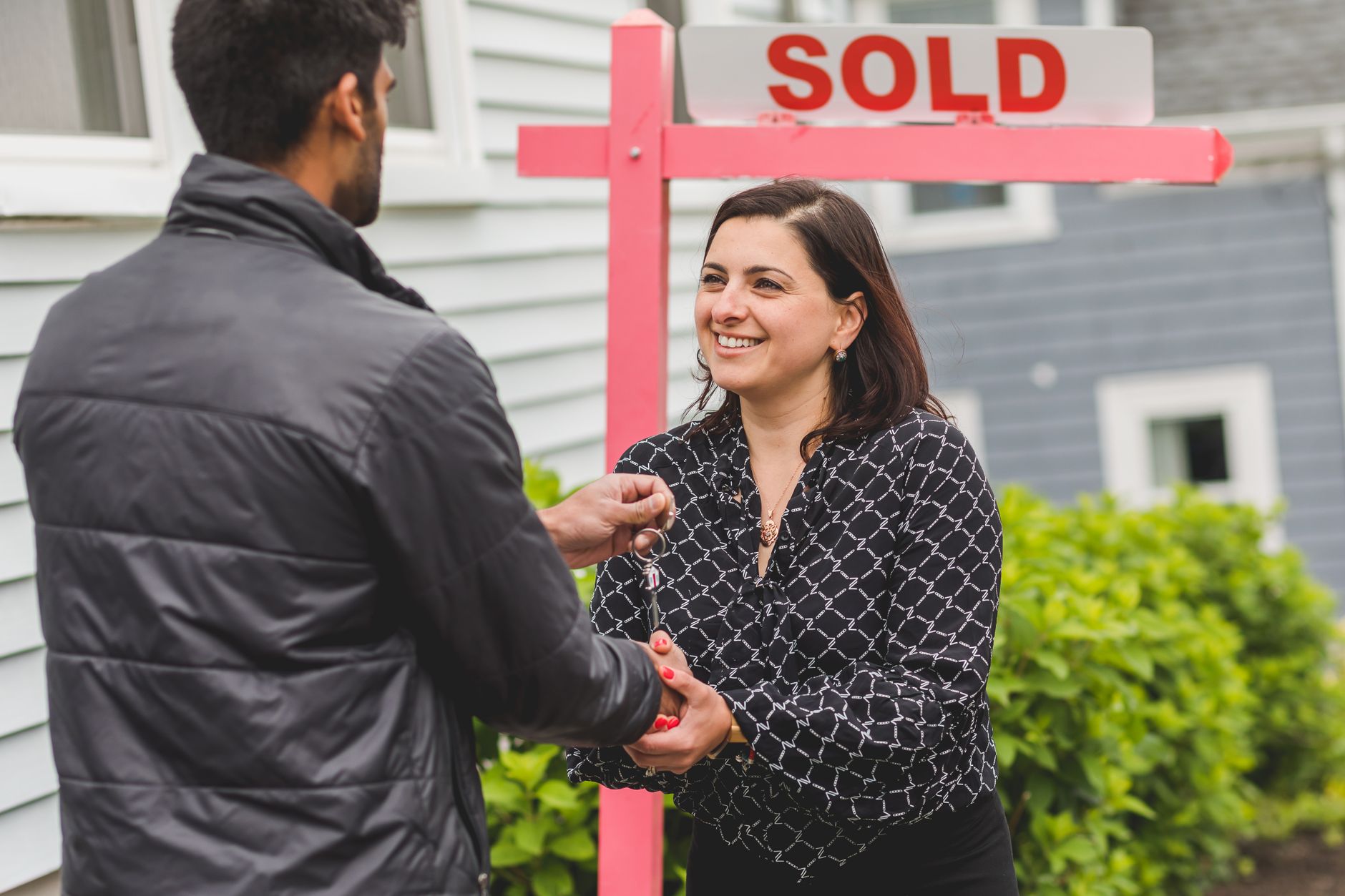


 Icon On The Top Right Is the Menu For Your Card. This Is Where You can edit your card and log into your dashboard.